Corporate apparel plays an important role in building a recognizable business identity. From employee uniforms and office shirts to promotional jackets, polo shirts, caps, and workwear, embroidered logos help companies present a consistent and professional image. A well stitched logo can make clothing look polished while helping employees represent the brand wherever they go.
However, a successful embroidered logo begins long before the embroidery machine starts stitching. Digital artwork must be converted into a specialized embroidery file that tells the machine how to construct the design. This process requires careful planning of stitch types, density, direction, underlay, and sequencing.
Custom logo embroidery digitizing services help businesses transform their existing logos into files prepared for machine embroidery. Instead of relying on a basic image conversion, professional digitizing considers the artwork, garment material, logo dimensions, and intended placement.
For companies that need consistent branding across multiple garments, choosing an experienced digitizing provider can make a significant difference in embroidery quality, production efficiency, and the appearance of the finished apparel.
What Are Custom Logo Embroidery Digitizing Services?
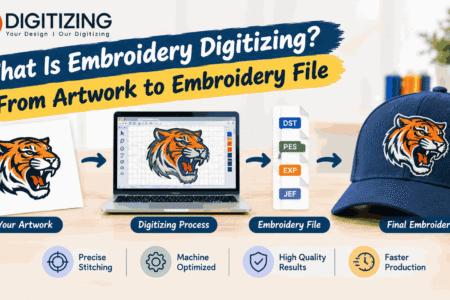
Custom logo embroidery digitizing is the process of converting a digital logo into instructions that an embroidery machine can follow. The resulting file contains information about how different sections of the logo should be stitched.
A regular image file, such as a JPEG or PNG, shows the visual appearance of the artwork. An embroidery file provides the technical information needed to reproduce that artwork with thread.
How the Digitizing Process Works
The process begins with reviewing the original company logo. The digitizer examines its lettering, shapes, colors, outlines, and smaller details to determine how the design can be reproduced through embroidery.
Next, the artwork is assigned suitable stitch types. Filled areas may use tatami stitches, narrow outlines may use satin stitches, and selected details may require running stitches. The digitizer also plans stitch direction, underlay, density, and the order in which different elements will be embroidered.
The design is then adjusted to suit its intended dimensions and garment placement. After the settings are completed, the file is exported in a format supported by the customer’s embroidery machine.
The goal is not simply to make the digital logo look correct. It is to prepare a design that can produce an attractive and practical embroidered result.
Why Image Conversion Alone Is Not Enough
Automatically converting an image into stitch instructions may produce unnecessary stitches, awkward directions, crowded lettering, or uneven coverage. These problems can become more noticeable when the logo is embroidered on textured or stretchy fabric.
Professional digitizing requires decisions that account for the physical behavior of fabric and thread. Although software can assist with the process, careful design preparation and testing remain important for dependable results.
The Business Benefits of Custom Logo Digitizing
Corporate apparel needs to balance appearance, comfort, durability, and consistency. A carefully digitized logo can support these requirements while helping businesses maintain their visual identity.
1. Consistent Brand Recognition
A company logo should remain recognizable across its uniforms, promotional clothing, and employee apparel. If the embroidery looks different on every garment, the overall brand presentation may appear inconsistent.
A properly prepared embroidery file helps preserve the essential shapes, proportions, and lettering of the logo. Using an approved design file for repeat orders can also make it easier to maintain a consistent appearance across production batches.
2. A More Professional Appearance
Embroidery can give business clothing a polished, durable appearance. Logos are often placed on the left chest, sleeves, collars, jackets, or caps, depending on the garment and company requirements.
Clean outlines, balanced stitching, and readable lettering contribute to the finished look. Poor digitizing, by comparison, can cause gaps, excessive thread buildup, distorted shapes, or uneven borders.
Professional digitizing helps address these design related issues before the file is used for production.
3. Improved Production Efficiency
An embroidery file with unnecessary stitch movements or poorly planned sequencing can increase machine running time. Excessive thread changes and avoidable trims may also slow production.
A well constructed file can help simplify stitch paths and organize the embroidery sequence more effectively. This can be especially helpful for businesses producing uniforms in large quantities.
Actual production speed will still depend on the embroidery machine, design complexity, thread changes, operator settings, and garment preparation.
4. Better Results Across Different Fabrics
Corporate apparel includes many kinds of fabric. Cotton polo shirts, polyester uniforms, fleece jackets, work shirts, and performance clothing behave differently during embroidery.
A digitizer needs to account for these differences when selecting stitch settings and planning the design. Stretchy fabric may require different support from a firm woven garment, while thicker materials may need different consideration for coverage and penetration.
The correct digitizing approach can reduce some common problems, although suitable stabilizers, needles, thread tension, and machine settings are also essential.
Choosing the Right Logo Size and Placement
A company logo should complement the garment rather than overwhelm it. Size and placement influence both visibility and stitch quality.
Left Chest Logos
The left chest is a common location for corporate logos because it provides a recognizable position without covering a large part of the garment.
Small chest logos require particular attention to lettering and fine details. If text becomes too small, the stitches may merge or the spaces inside letters may close. The digitizer may need to adjust the artwork to preserve readability at the intended dimensions.
Sleeve and Collar Branding
Some businesses place a smaller logo, initials, or department name on sleeves and collars. These areas have limited space and may include seams that affect the available embroidery area.
The digitizing file should be planned around the actual placement. A design intended for the front of a shirt should not automatically be reduced for a sleeve without checking its smallest details.
Back Logos and Larger Designs
Large designs offer more room for visual elements, but they introduce other considerations. Excessive stitching may make the garment heavy or stiff, especially when a large area is filled with thread.
Careful stitch planning helps balance coverage and flexibility. For larger logos, businesses should also consider production time, fabric stability, and how the garment will feel when worn.
How Digitizings Can Support Corporate Branding Projects
Businesses that need embroidery files for branded clothing can consider Digitizings for custom logo digitizing requirements. Sharing the original artwork, garment type, preferred design dimensions, and required machine format helps establish clear project specifications. This information provides a useful starting point for preparing an embroidery file suited to the intended apparel.
Important Technical Details Behind Quality Logo Embroidery
Several technical decisions influence whether a corporate logo stitches cleanly. Understanding these details can help businesses evaluate a embroidery digitizing service more effectively.
Stitch Density and Underlay
Stitch density refers to how closely the stitches are placed within a design. If the density is too low, fabric may show through areas that are supposed to be covered. If it is too high, the embroidery may become bulky, stiff, or difficult for the machine to handle.
Underlay provides a foundation for the visible stitches. It can help support the fabric and improve the appearance of the top stitching. The appropriate settings depend on the material, design dimensions, stitch type, and intended coverage.
Pull Compensation
During embroidery, stitches can pull fabric inward. This may create small gaps between adjoining shapes or make some elements appear narrower than expected.
Pull compensation accounts for this behavior by adjusting selected design dimensions. The amount required varies according to the fabric, stitch direction, design construction, and embroidery setup.
Proper compensation helps improve alignment, but it needs to be applied thoughtfully to avoid overly enlarged outlines or distorted shapes.
Lettering and Fine Details
Company logos often contain names, slogans, initials, or small text. Fine lettering can be difficult to reproduce when the design is reduced for a uniform or shirt pocket area.
A skilled digitizer considers the size and shape of each character, the spacing between letters, and the type of stitches used. In some cases, simplifying small details or slightly changing the dimensions may provide a clearer result than copying every detail from the original image.
Embroidery File Compatibility
Different embroidery machines support different file formats. DST and PES are examples of formats commonly used in machine embroidery, but the right option depends on the equipment.
Before ordering, businesses should confirm the required format with their embroidery operator or production provider. Supplying an incompatible file can create unnecessary delays even if the digitizing itself is satisfactory.
How to Select a Reliable Corporate Embroidery Digitizing Service
Choosing a provider involves more than comparing prices. Businesses should consider the complexity of their logos, the number of garments they produce, delivery requirements, and the level of support available.
Review Relevant Experience
Look for evidence that the provider understands corporate logos and garment embroidery. Experience with text, compact branding, jacket logos, uniform designs, and multiple fabric types can be useful.
A digitizer who understands these requirements is better positioned to discuss practical design limitations before production begins.
Ask About Revisions
Even a carefully prepared file may need adjustments after a sample is stitched. Ask whether corrections are available and clarify what types of revisions are included in the quoted price.
Providing specific feedback, such as unreadable lettering or a gap between two sections, makes it easier to identify the required correction.
Confirm Turnaround and Communication
Corporate apparel orders may be connected to staff onboarding, company events, new store openings, or promotional campaigns. Delivery expectations should therefore be clear before an order is placed.
Ask for an estimated turnaround and provide the actual deadline. A reliable provider should communicate whether the requested schedule is practical instead of leaving production requirements unclear.
Evaluate the Complete Cost
Digitizing prices can vary according to artwork complexity, stitch count, lettering, design size, and service requirements.
A simple one color logo may require less preparation than a detailed emblem with small text and many overlapping elements. Businesses should compare the total cost, revision arrangements, delivery expectations, and expected file quality rather than focusing only on the lowest price.
Preparing Artwork for a Smooth Ordering Experience
Providing good information at the beginning of the process can reduce misunderstandings and speed up design preparation.
Supply the Best Available Artwork
A clear vector file is often useful, but a high resolution image may also provide enough information for many projects. If the only available artwork is a low resolution image or screenshot, let the digitizer know.
The service may need to recreate unclear elements or simplify details that will not translate well into stitches.
Explain the Garment Requirements
State whether the logo will appear on polo shirts, woven uniforms, fleece jackets, caps, or another garment type. Include the intended embroidery location and dimensions.
A logo prepared for a stable cotton shirt may need adjustments for a stretchy performance garment. Sharing these details helps the digitizer choose more suitable settings.
Specify Colors and Production Needs
Provide the preferred thread colors or a clear reference to the company brand colors. Thread shades may not match screen colors exactly, so checking physical thread options can be helpful when color accuracy is especially important.
For recurring orders, keep a record of the approved logo dimensions, file format, thread colors, and production settings. This makes it easier to repeat the same design consistently.
Common Corporate Embroidery Problems and How to Avoid Them
Even a professional digitizing file needs to be used with appropriate production methods. Understanding common issues helps businesses identify what needs attention when a sample does not look right.
Uneven or Distorted Logos
Distortion can occur when the fabric moves during stitching or when the file does not account for the material’s behavior. Review the digitizing settings alongside hooping, stabilizer choice, and garment preparation.
Unreadable Small Text
Lettering that looks clear on a computer may be too small for reliable embroidery. Confirm the actual stitched dimensions and consider simplifying small details where appropriate.
Visible Gaps and Poor Coverage
Gaps may result from stitch direction, pull compensation, fabric movement, or incorrect alignment between adjoining elements. A sample helps identify whether the file or production setup needs adjustment.
Excessive Thread Breaks
Thread breaks can have several causes, including unsuitable stitch construction, excessive density, needle problems, thread quality, and machine tension. Reducing unnecessary stitching and checking the machine setup can help narrow down the problem.
Testing a new logo before producing a large batch is a sensible way to detect issues early and avoid repeating them across many garments.
Building a Consistent Corporate Apparel Program
Businesses that order embroidered apparel regularly can benefit from a documented process. Start by approving the logo artwork and establishing standard dimensions for common garment types.
Keep approved embroidery files organized by logo, garment placement, and machine format. When a design is revised, identify the new version clearly and avoid mixing old and updated files during production.
It is also useful to maintain sample garments that demonstrate the expected embroidery quality. These samples help purchasing teams, embroidery operators, and suppliers understand the desired appearance.
For larger uniform programs, test new garment fabrics before introducing a design across the full order. A file that performs well on one material may need adjustments for another.
Conclusion
Custom logo embroidery digitizing services help businesses turn their brand artwork into embroidery files designed for corporate apparel. Quality digitizing supports clear lettering, balanced stitching, better logo definition, and more consistent production across uniforms, shirts, jackets, and other branded garments.
When choosing a provider, consider technical expertise, fabric requirements, file compatibility, turnaround, revision policies, and total cost. Supplying clear artwork and accurate garment specifications also improves the chances of a successful outcome.
For companies that rely on professional uniforms and branded clothing, treating digitizing as an important part of the production process can help protect brand presentation and reduce avoidable embroidery problems. The strongest results come from combining a well prepared embroidery file with appropriate materials, machine settings, and sample testing.
Frequently Asked Questions
1. What is custom logo embroidery digitizing?
Custom logo embroidery digitizing converts company artwork into machine instructions that define the stitch types, directions, density, and sequence needed to embroider the design.
2. Why is professional digitizing important for corporate apparel?
Professional digitizing helps prepare logos for the intended garment and embroidery size. It can improve stitch quality, lettering clarity, coverage, and consistency when combined with correct machine setup.
3. Which file format should I request for corporate logo embroidery?
The format depends on the embroidery machine. DST and PES are commonly used examples, but you should confirm the exact requirement with your embroidery operator before placing an order.
4. Can the same logo file be used on every type of uniform?
Sometimes, but not always. Differences in fabric, garment construction, logo size, and placement may require adjustments to the digitizing file for the best results.
5. How can I make small embroidered company logos more readable?
Choose appropriate dimensions, avoid excessively fine details, and make sure lettering has enough space for stitches to form clearly. A test sample can reveal whether any adjustments are necessary.
6. What information should I provide when ordering corporate logo digitizing?
Provide clear artwork, the garment type, intended embroidery dimensions, placement, preferred thread colors, required machine format, and deadline. These details help the digitizer understand the project requirements.

 by
by 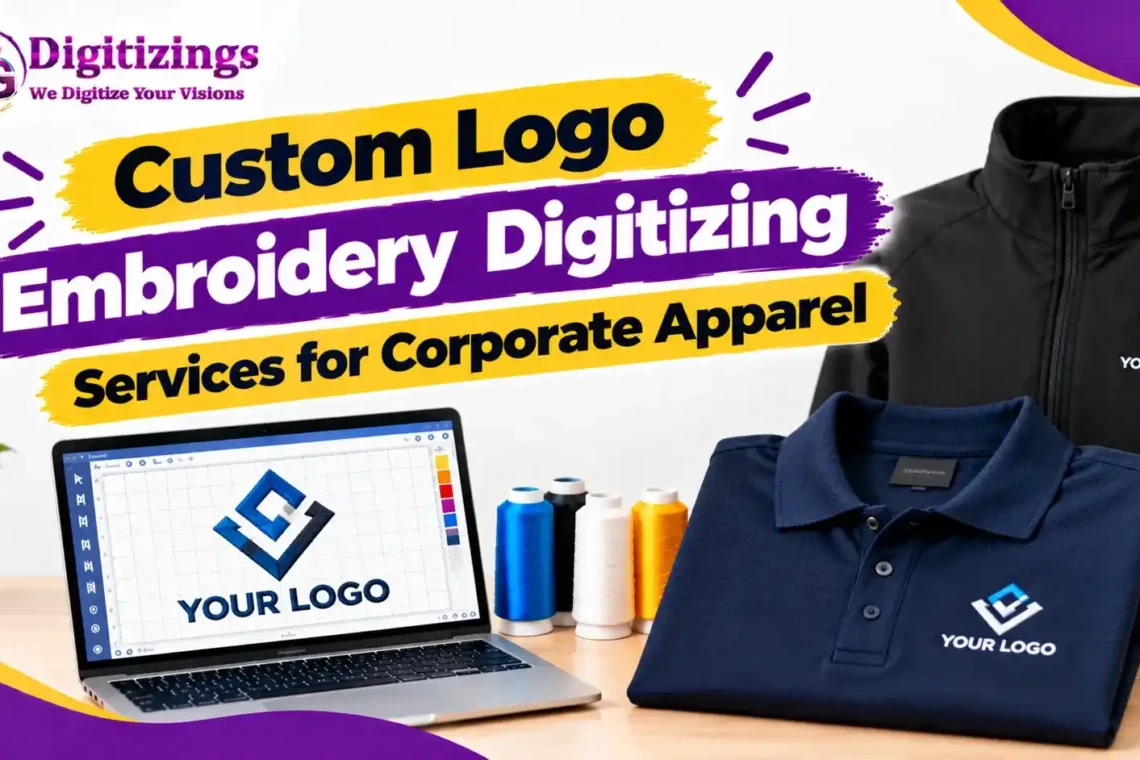



Join The Discussion